Depending on the type of visa, the process of approving it may take days to weeks. It’s always a bit anxious for those waiting for their documents. However, in Qatar, you don’t have to think twice about how to check your visa status. The actual statuses are updated on the official site of the Ministry of Interior (MOI). A step-by-step guide below should make the whole process even easier.
How to check the visa status through MOI
After submitting your application for a visa, you can check the status through the MOI website. The process is the same regardless of the visa type:
1. Go to the MOI website.
2. Click on MOI Services, and then choose Visa Services in Inquiries.
3. Choose Visa Inquiry and Printing.
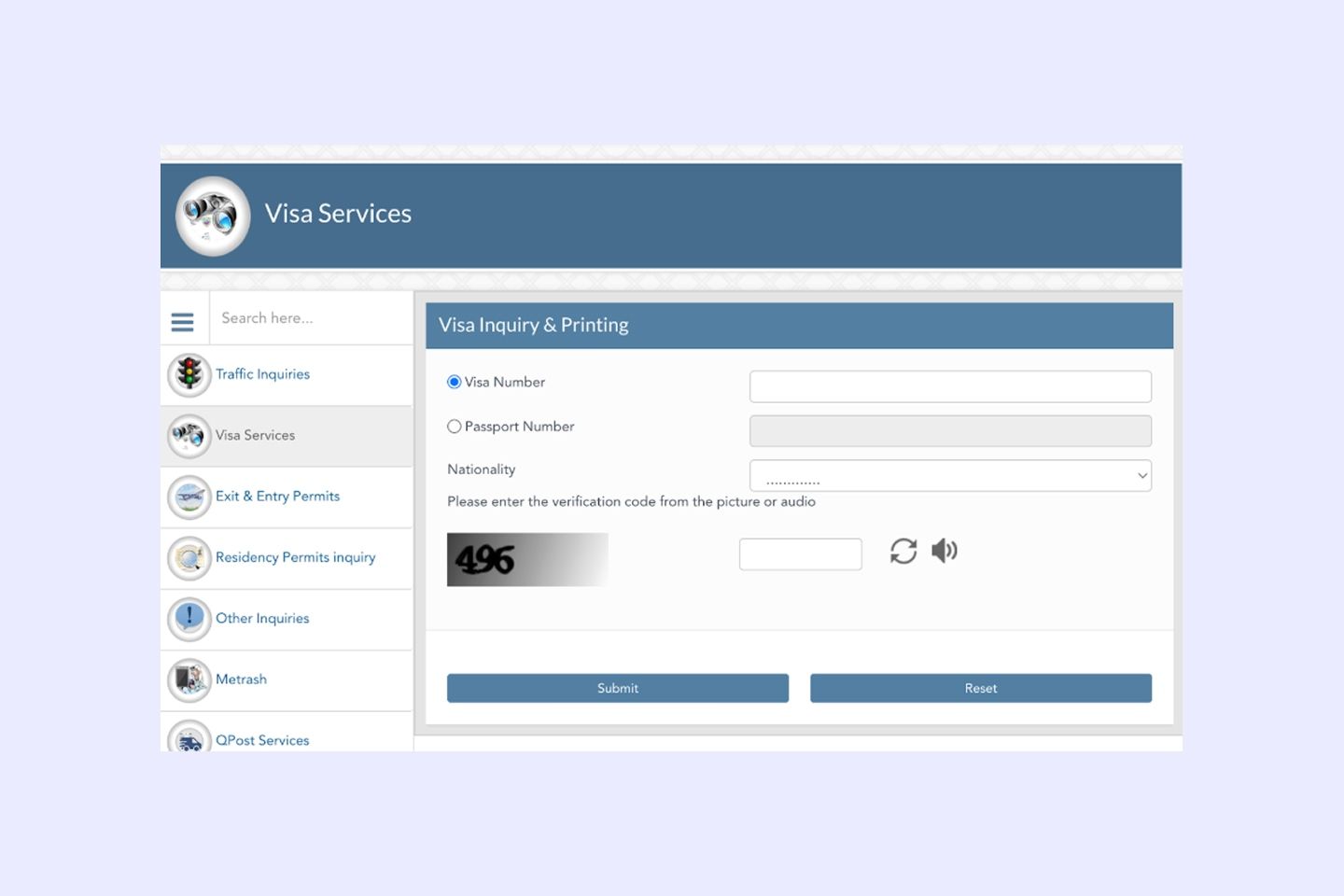
4. Enter your application number or passport number and select your nationality.
5. You'll get an overview of your visa status.
How to check the visa status through QVC
Aside from the MOI website, you can check the visa status via the Qatar Visa Center (QVC).
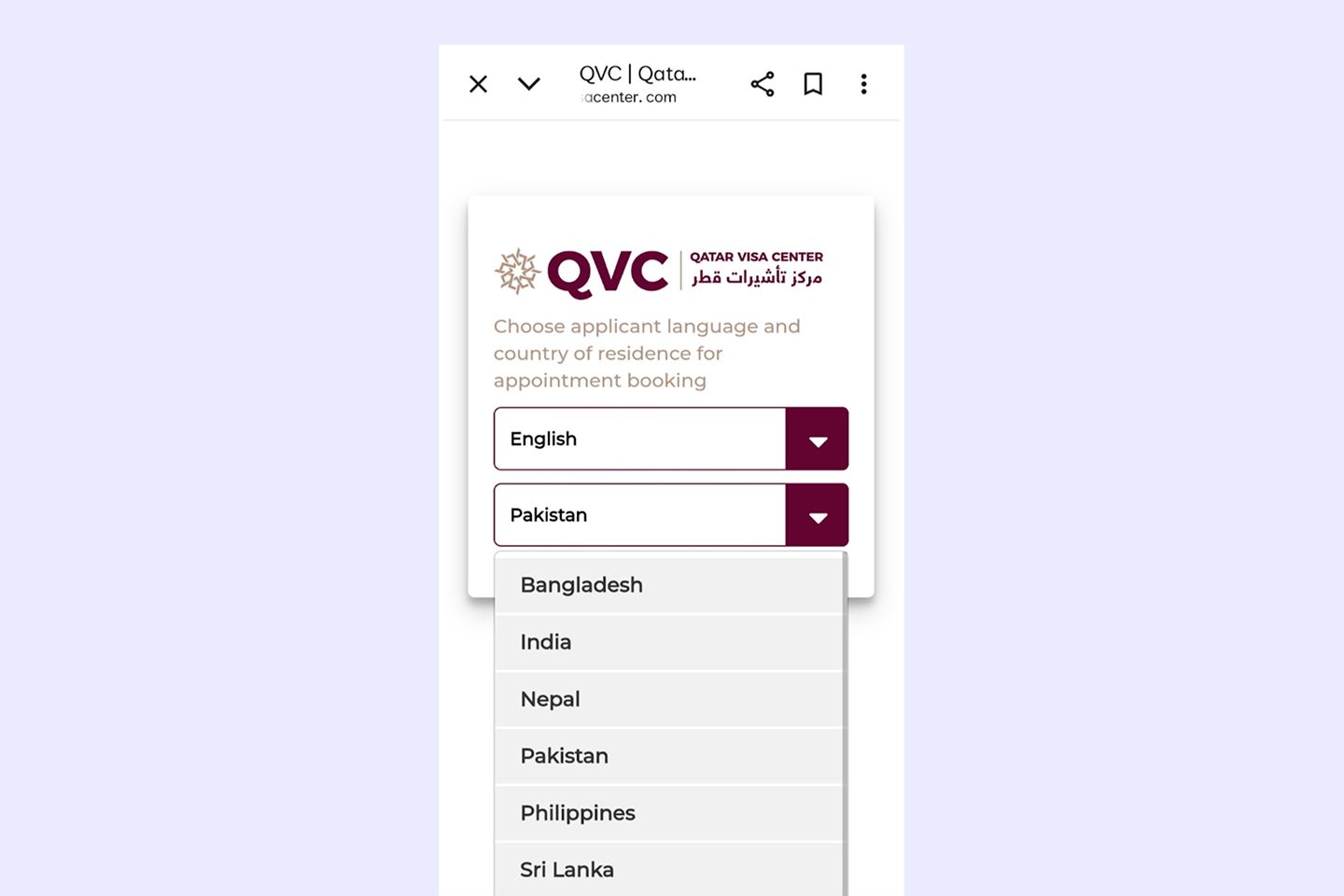
QVC provides essential pre-departure services, including employment contract signing, application fee processing, biometric enrollment, fingerprinting, and medical examination. It's designed to speed up processes for residents of Bangladesh, Nepal, India, Sri Lanka, Pakistan, and the Philippines.
Here's the step-by-step process:
1. Go to the QVC website and select your language and country.
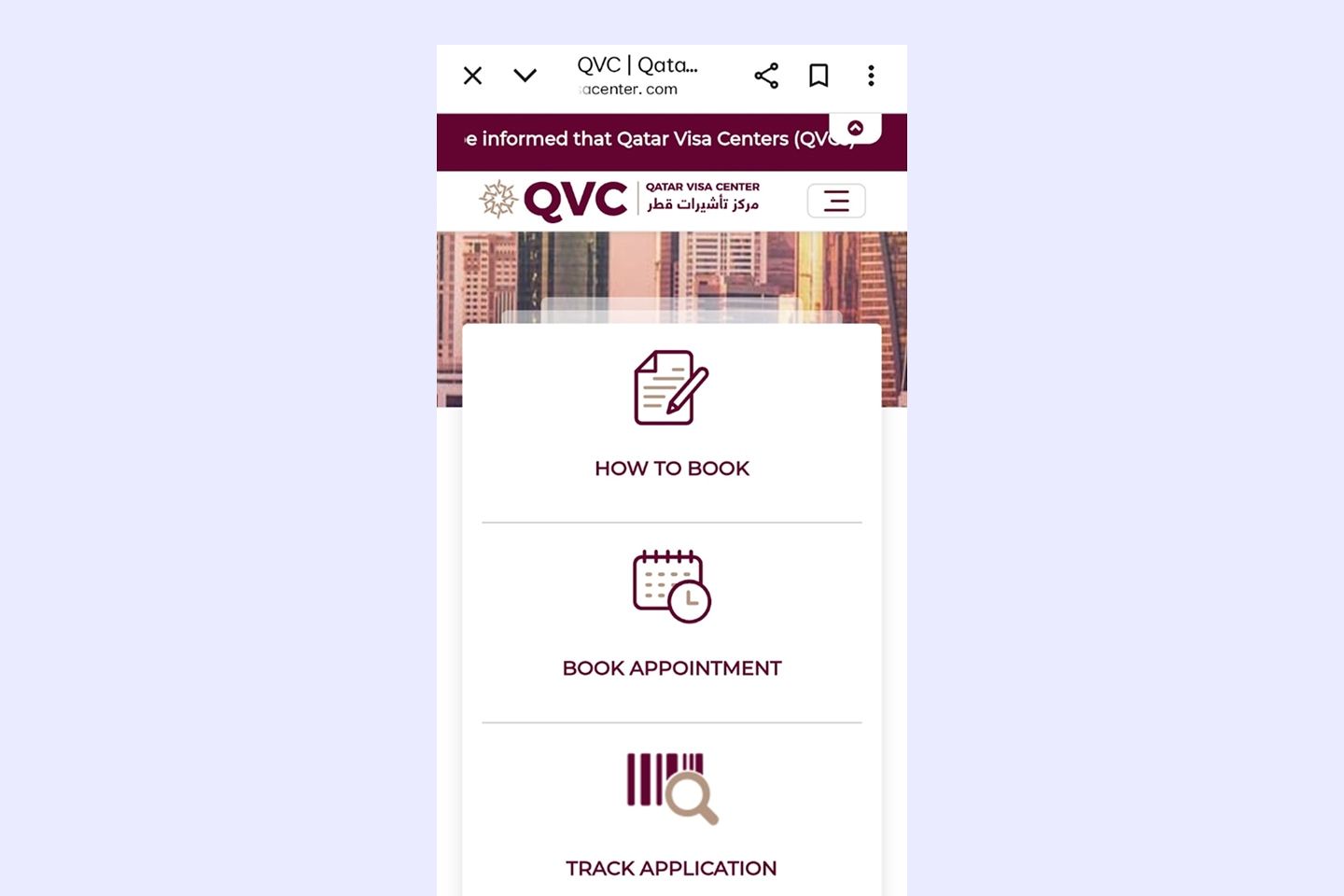
2. Click Track Application on the homepage.
3. Enter your passport number and application number in the designated fields.
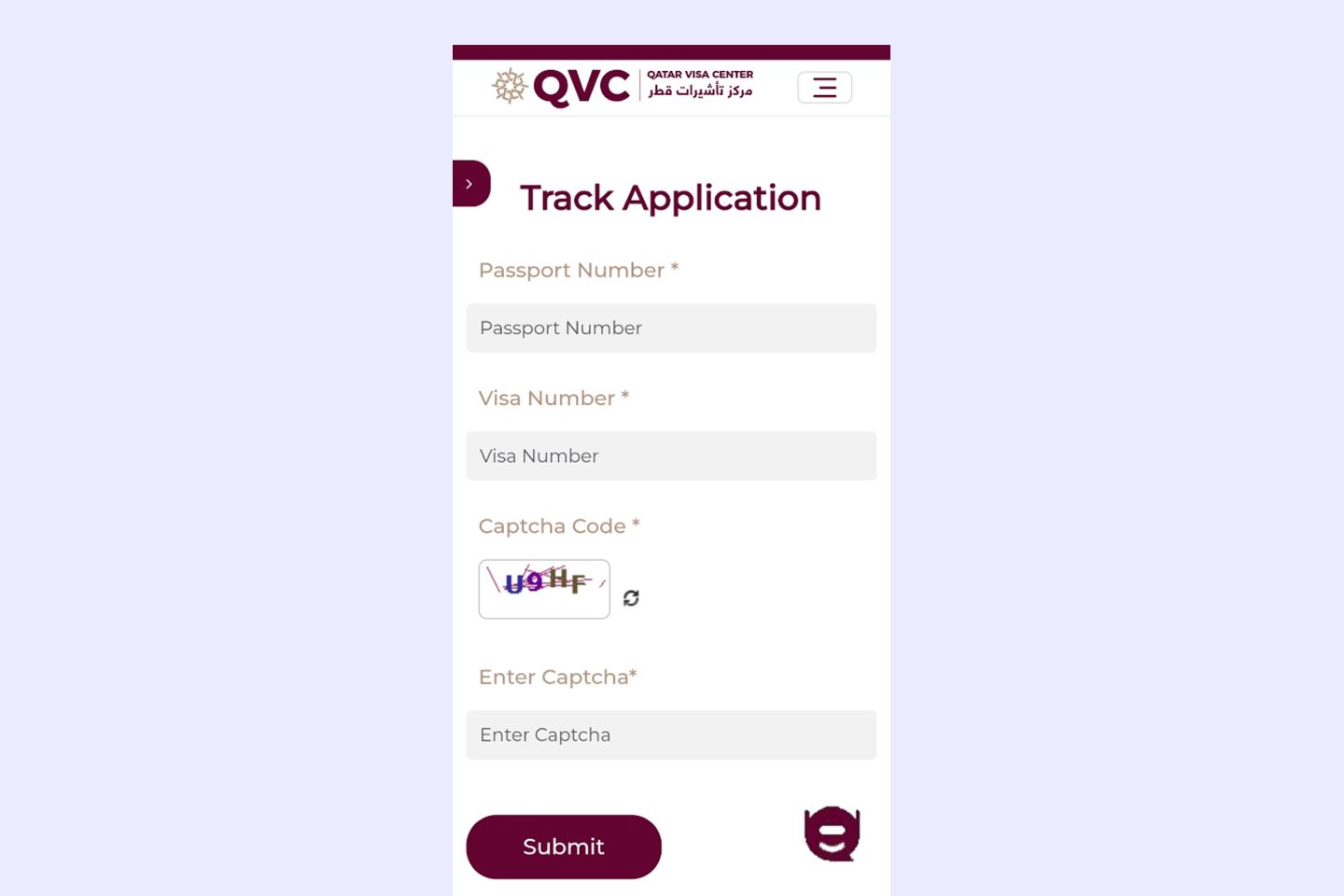
4. Click Submit to view your visa status.
FAQ
How to check a Qatar visa online with passport number?
How to check a Qatar visa by visa number?
How to check a Qatar visa processing status?
How to print a Qatar visa online?
Is it necessary to have insurance to obtain a visa to Qatar?
What other documents are required to get a visa?