Contents
If you live in Qatar, you've likely heard of Kahramaa — Qatar General Electricity and Water Corporation. Whether you're a new resident in Doha or have been here for years, Kahramaa bill payment is part of your monthly obligations. The good news is that you don't have to stand in line or visit a service center. You can pay your Kahramaa bill online in just a few clicks — simple, secure, and stress-free.
Find your Kahramaa number before you pay
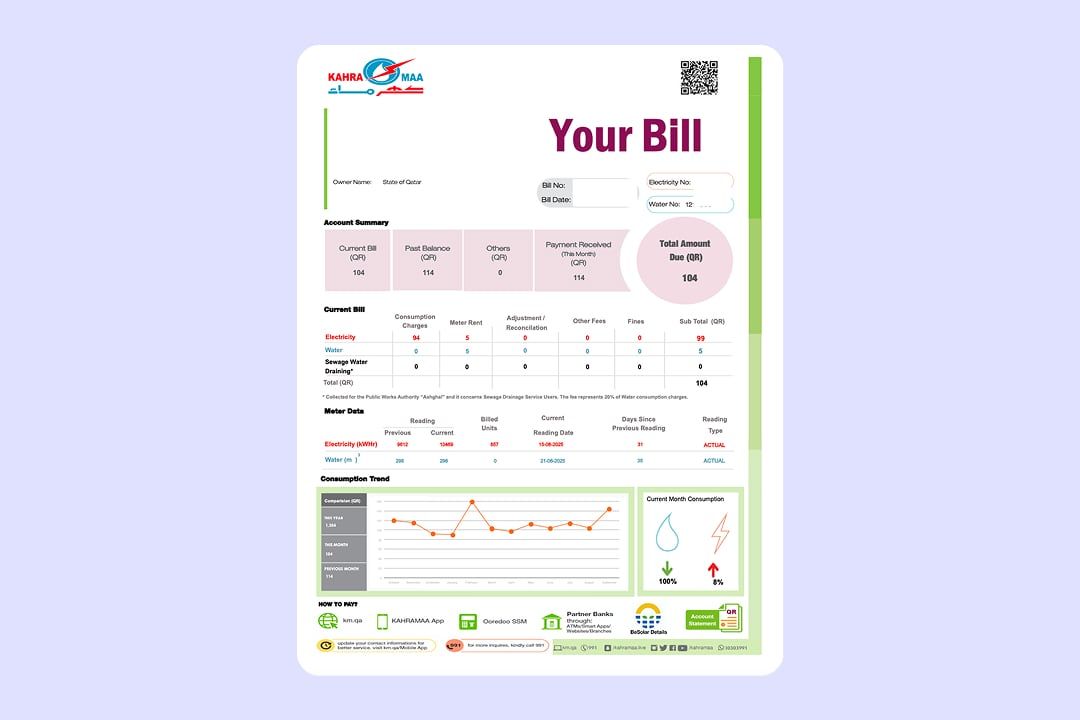
To pay or check your bill online, you'll need your Kahramaa customer number. This number is required when creating an account on the Kahramaa portal or app. Here's where you can find it:
-
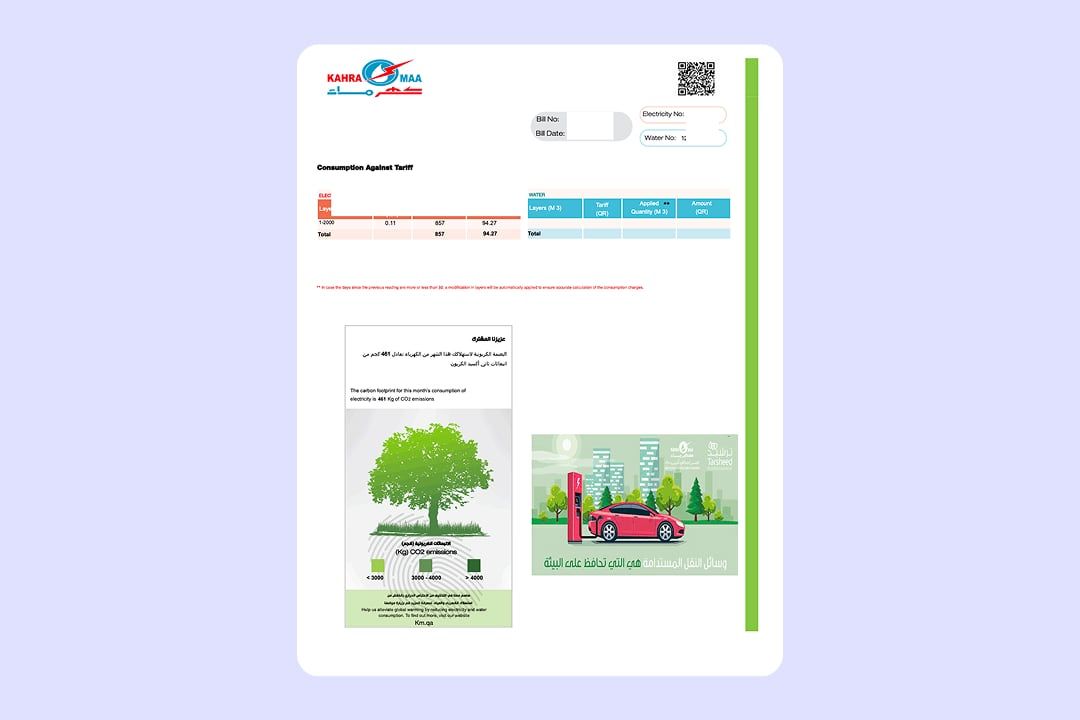
On the top right of your electricity and water consumption bill
-
In the Kahramaa mobile app, under My Account
-
Often included in your rental agreement, if utilities are registered under your name
If you need assistance, call Kahramaa at 991. Qatar ID will be needed for verification. If you don't have a bill, visit the nearest Customer Service Center with your QID and electricity number to request it. Without this customer number, you won't be able to view your balance or complete your Kahramaa payment.
How to pay your Kahramaa bill online
Pay through the Kahramaa website
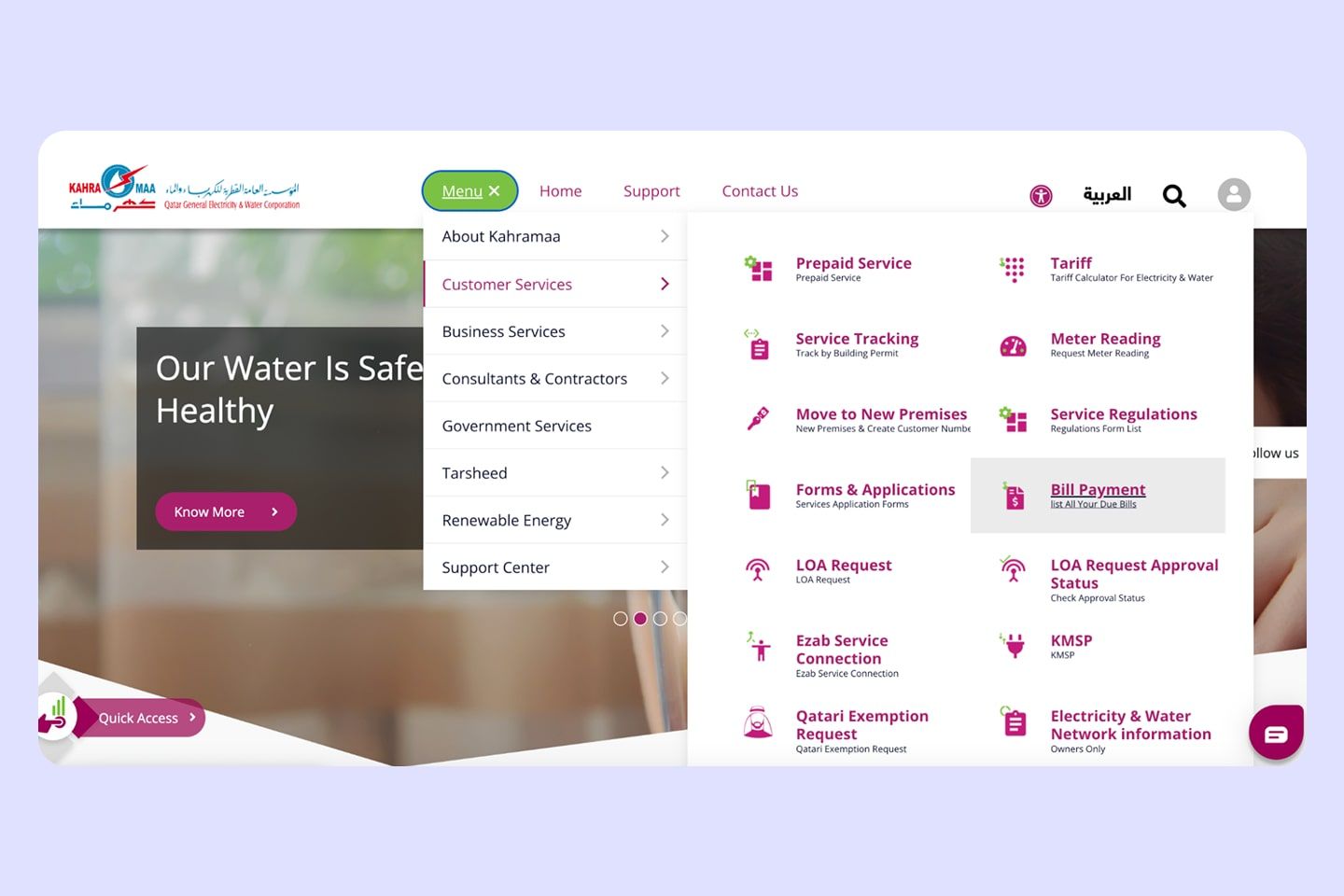
1. Visit the official Kahramaa website and go to the Menu
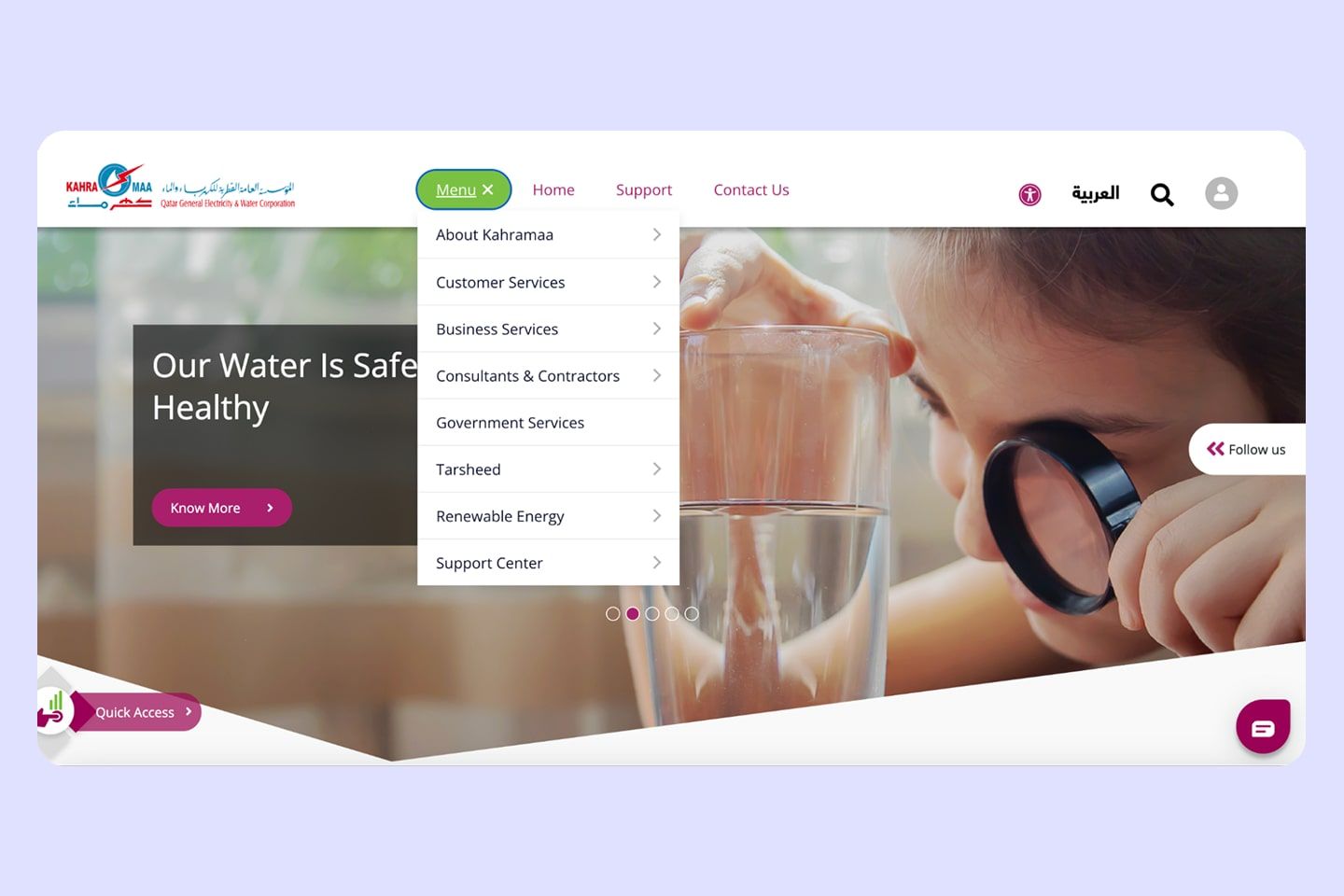
2. Click on Customer Services and Bill Payment
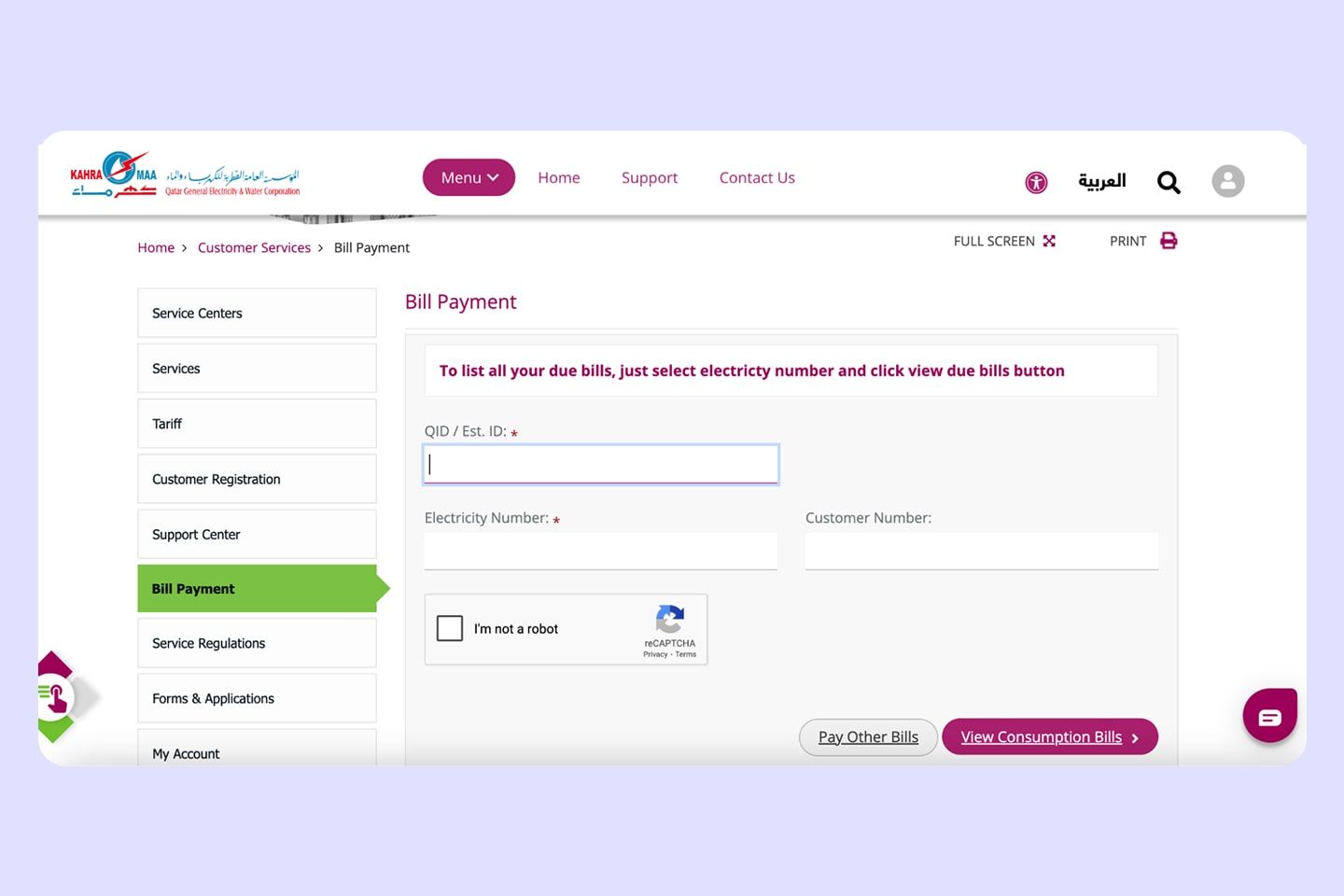
3. Enter the required details:
- QID
- Kahramaa number — listed on your bill or on the plate outside the property (Red for electricity and Blue for water)
4. Enter the displayed amount and due date
5. Choose a payment method
6. Confirm and download or screenshot your receipt
Pay via the Kahramaa mobile app
Download the Kahramaa mobile app on the App Store and Google Play.
1. Log in or register using your QID. If your Kahramaa account is registered under your landlord or employer, you will also need the Establishment ID (Est ID) — a number used to identify your company or property owner in official records, provided by your landlord or employer
2. Select Bills & Payments
3. Enter your Kahramaa number or simply scan the QR code on your bill to review your balance
4. Tap Pay Now and confirm with your card
The app lets you track water and electricity usage and report service issues. If you need help with your account details, you can also contact Kahramaa directly on WhatsApp: +974 3030 3991. For more digital tools, check our guide on useful apps in Qatar.
Pay through Ooredoo and other portals
If you're already using the Ooredoo app for phone bills, you can also pay your Kahramaa bill there.
1. Open the Ooredoo app
2. Go to Payments & Recharges
3. Select Kahramaa and enter your account number
4. Complete the payment securely
Other payment options include self-service kiosks from Ooredoo and Qatar National Bank (QNB), which are available across malls in Doha.
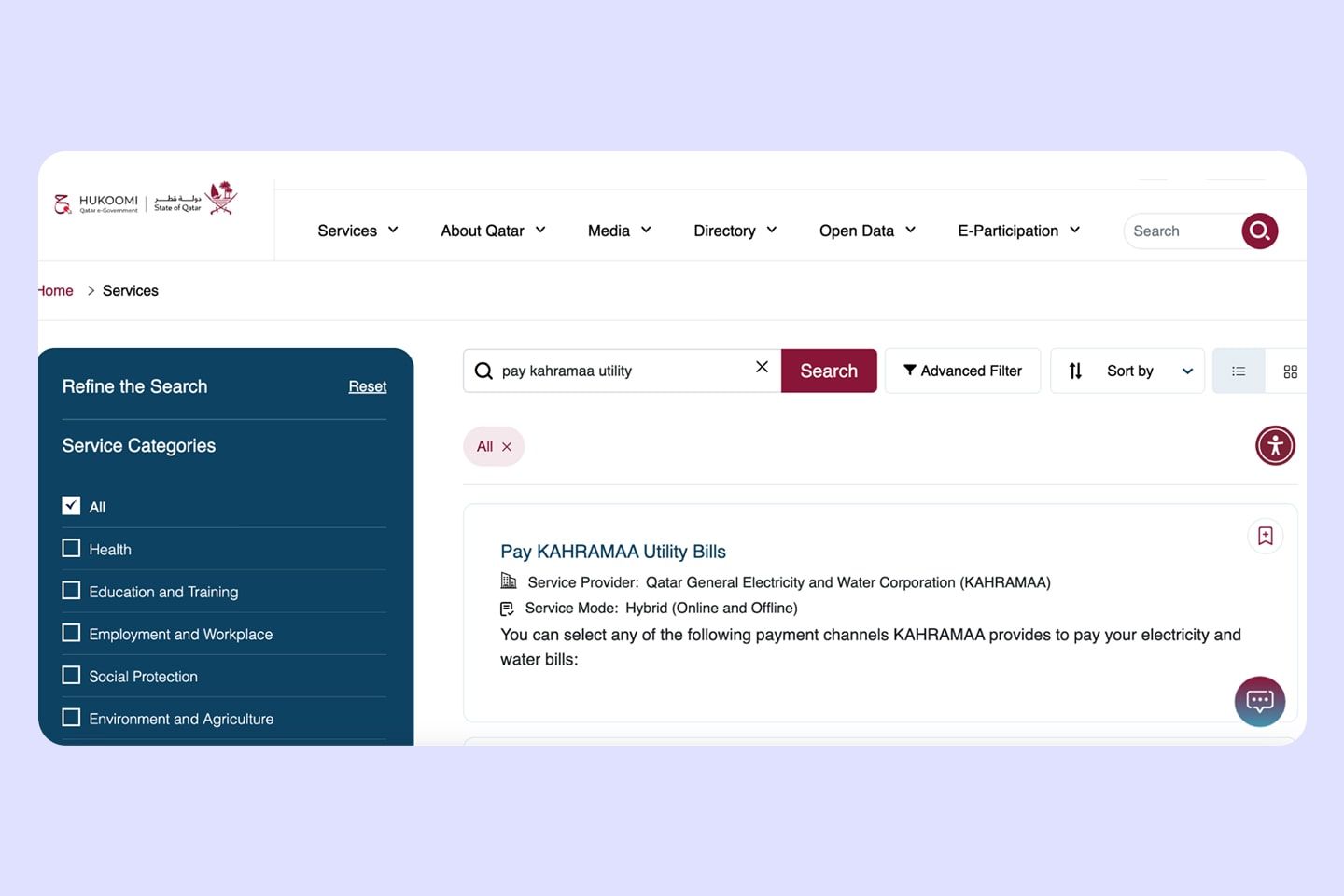
You can also settle your bill through local banks or via Qatar's e-government platform — Go to Services and type Pay Kahramaa Utility:
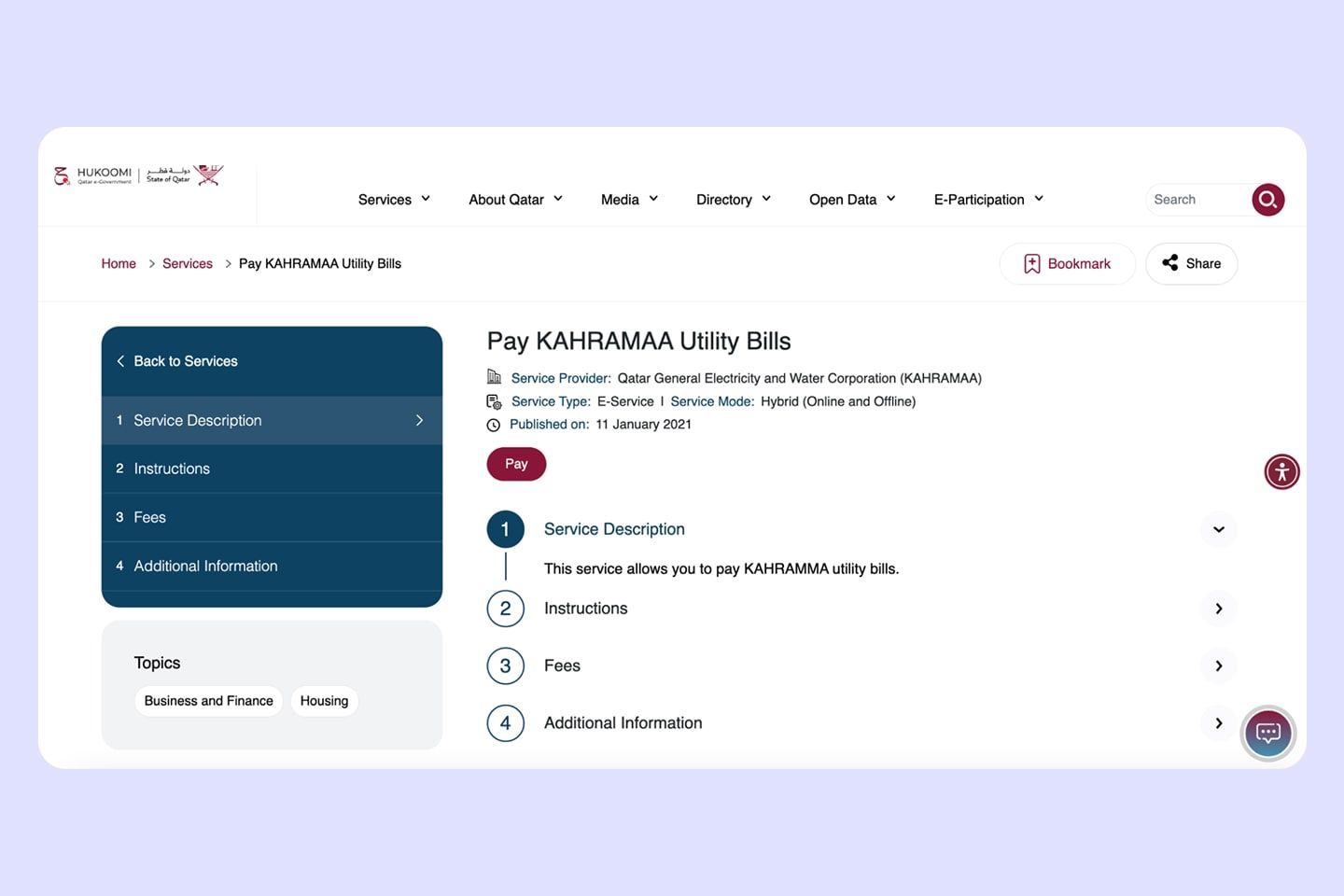
Find the relevant information and the option to Pay:
Pay from outside Qatar
If you're abroad but still need to settle your bills, you can pay by calling Kahramaa customer support at +974 4449 4000 or emailing 911@km.com.qa for assistance.
Stay on top of your Kahramaa bill payment
Kahramaa bills in Qatar vary depending on your household size, number of air conditioners, and the season. On average, one- to two-bedroom apartments may pay QAR 200–350 per month, while larger five-bedroom villas around 6,000 sqft can see bills of QAR 1,000 or more.
Kahramaa usually gives a grace period, but unpaid bills can eventually lead to service disconnection. To better manage your cost of living in Qatar, track your usage by checking your meter readings or monitoring consumption in the Kahramaa app. QIC's Bill Protect covers your utility bills in the event of an emergency, helping you avoid the inconvenience of disconnection.
FAQ
How to check Kahramaa bill without QID?
Can I pay my Kahramaa bill in cash?
How do I download my receipt?
Is there a late fee for Kahramaa bills?